Update 26.04.2
Features
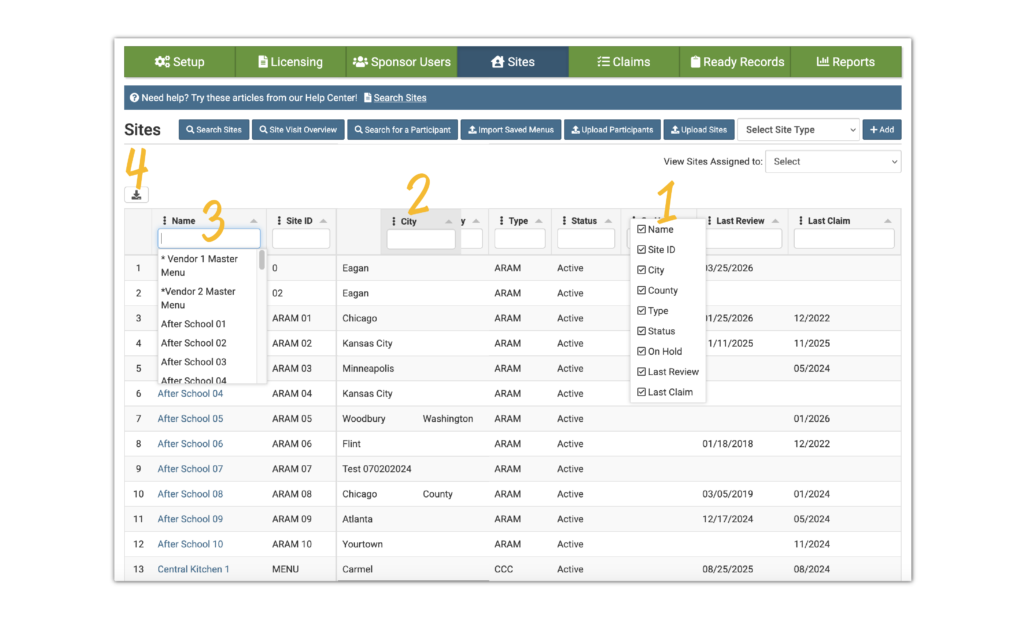
Site List Data Grid
We have updated our Site List page to a Data Grid. This feature allows users more control over how they view and work with data, including the ability to:
- Show or hide columns
- Rearrange column order
- Sort, filter, and
- Download the current screen view
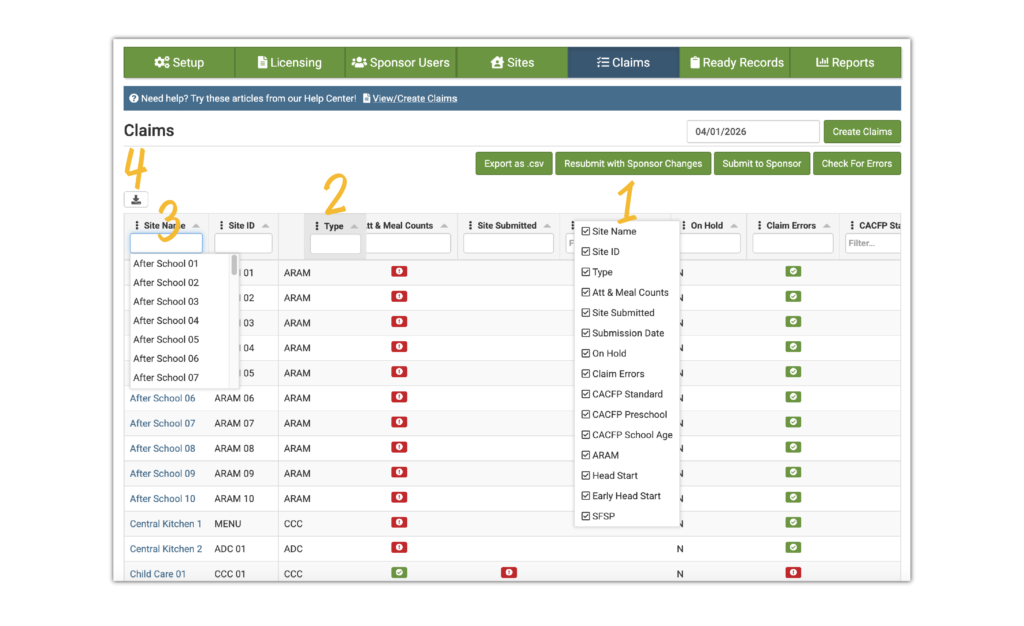
View/Create Claims Data Grid
We have updated our View/Create Claims page to a Data Grid. This feature allows users more control over how they view and work with data, including the ability to:
- Show or hide columns
- Rearrange column order
- Sort, filter, and
- Download the current screen view
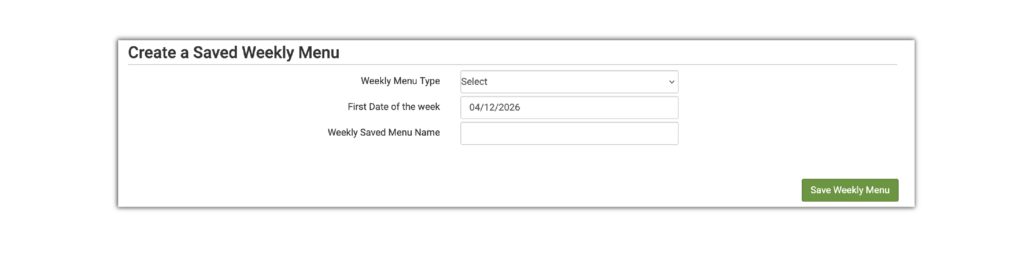
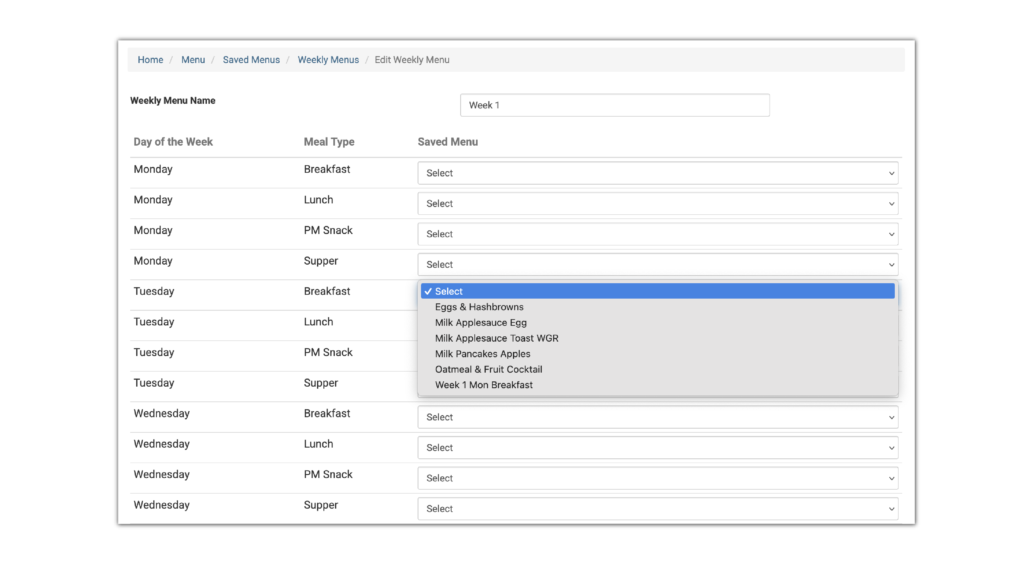
Create a Saved Weekly Menu from Planned Menus
This feature allows users to create an entire week of saved menus from already-planned menus.
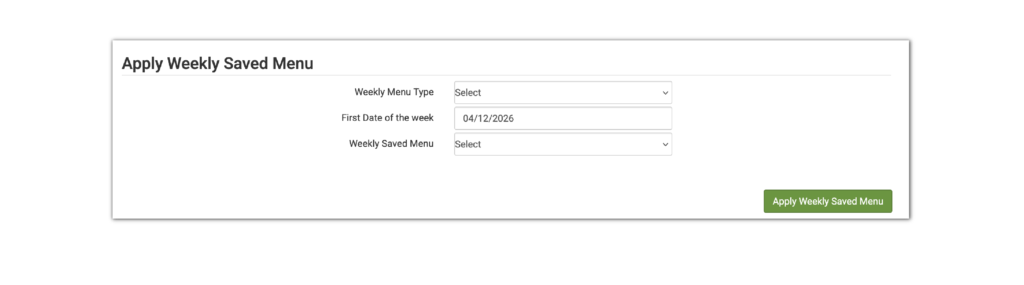
Apply Weekly Saved Menu
This feature allows users to apply Weekly Saved Menus to the week of their choice.
Create a Saved Weekly Menu from Saved Meals
This feature allows users to create an entire week of saved menus directly in the saved menu area using saved meals.

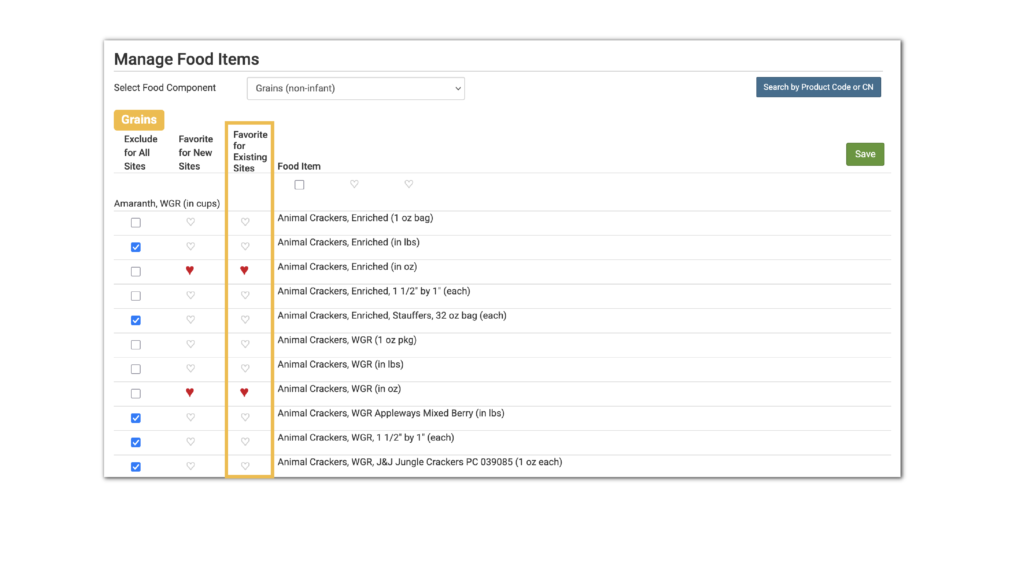
Set a Favorite Food for All Sites
This feature allows sponsor users to set a food as a favorite food for all existing sites.
Settings
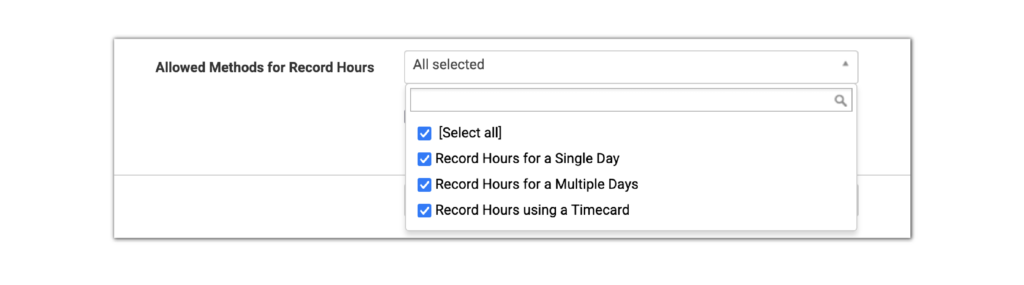
Allowed Methods for Record Hours
This setting controls which methods of Record Hours are available to site-level users.
- If this box is checked the selected methods will be available to the users on the Record Hours screen.
- If a method is unchecked, then it will not be available to site-level users. You must have at least one method for site-level users to Record Hours.
Enhancements
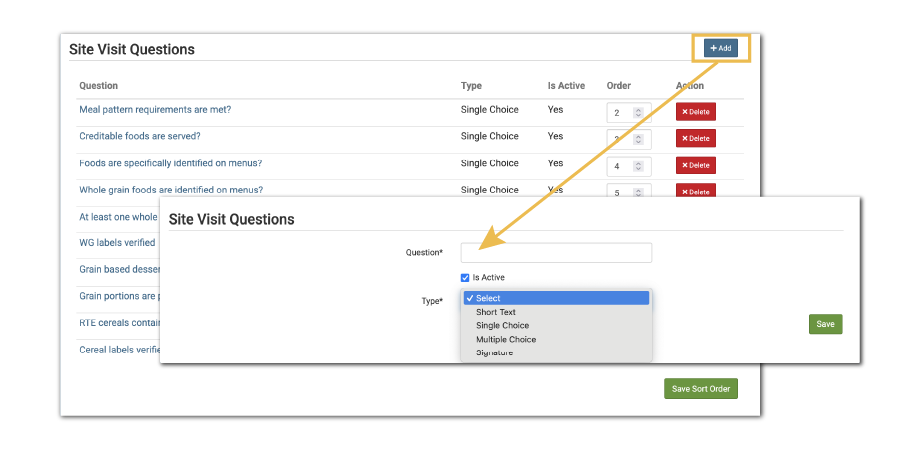
- We increased the size of the Custom Visit Question signature box for easier capturing of signatures.
- Improved the look of the menu calendar for users accessing the full web version on a mobile device.
- Made the option to Copy Schedule from Sibling available all the time instead of only when a participant does not have a schedule.
- Added tabs to the Daily FRP Count by Meal Type report if a meal has shifts.
- Updated the Print-Ready Child Menu in Spanish to use the translated meal type names.
- Renamed the tab for Users at the sponsor-level to Sponsor Users for clarity.
- Updated the Site Summary Report to display the License Group(s) name instead of the License Type(s) name.
- Added a manual meal disallow reason Insufficient quantities served.
- Added a new Custom Site Visit Question for single choice – radio button, which supplements the existing question type single choice – dropdown.
- Added the Alabama custom state income, enrollment and infant forms to Ready Records.
- We added a cross-check on Participant Upload so that if the Reason on an Income Form is not correct, the participant will not be uploaded.
- Added a new Custom Site Visit Question type for Date, with the option for multiple dates displayed in columns.
- Added the Food Production Record Finalized date to the Daily Meal Production Record with Leftovers and Dietary Accommodations report.
- Changed the Weekly Meal Count with Attendance Report to allow the user to select from 1-7 days.