The integration between NestliCare and My Food Program means you only have to enter data in one system, and it syncs with the other. Staff and families keep checking children in and logging meals in NestliCare, and NestliCare sends the records to your My Food Program account automatically. Enter the data listed below in NestliCare and it syncs to My Food Program:
My Food Program continues to be your comprehensive, and customizable software for managing the full CACFP. Click here for our full list of features, settings and reports.
HOW TO GET STARTED
Gather Account Details and Confirm Settings in My Food Program
Login to your My Food Program account and generate an API Key. This key will grant the same level of access as the user, so use an account for your site. Visit our Help Center article for step-by-step instructions.
Be sure that the Do Not Allow Meal Counts To Be Imported From Outside Software is not checked in “Attendance & Meal Count Settings”. Please note that only Sponsors can enable this function, so if you participate under a CACFP Sponsor, you will need to contact them.
The API key is the only thing you need. NestliCare looks up your site, participants, and rosters for you. There is no Site ID to copy.
Connect Your Account in NestliCare
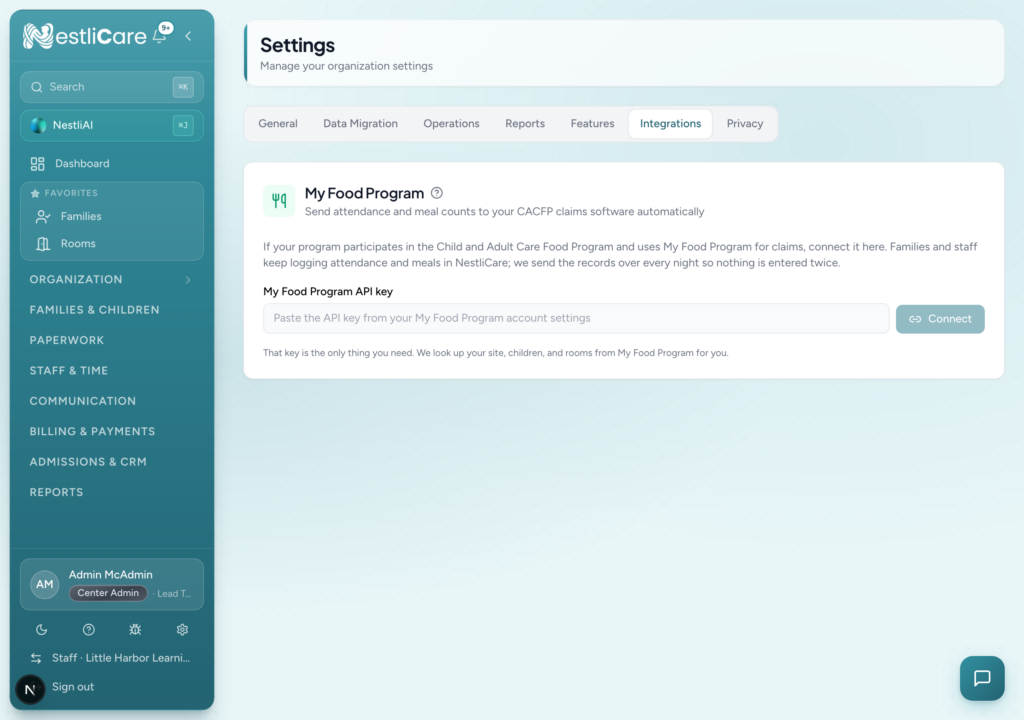
In NestliCare, go to Settings, then Integrations, and find the My Food Program card. (The Integrations tab is available to owners and admins of US organizations.)
Paste your API key and select Connect. NestliCare finds your site by name. If your key covers more than one site, pick the right one from the list.
Match Children and Rooms
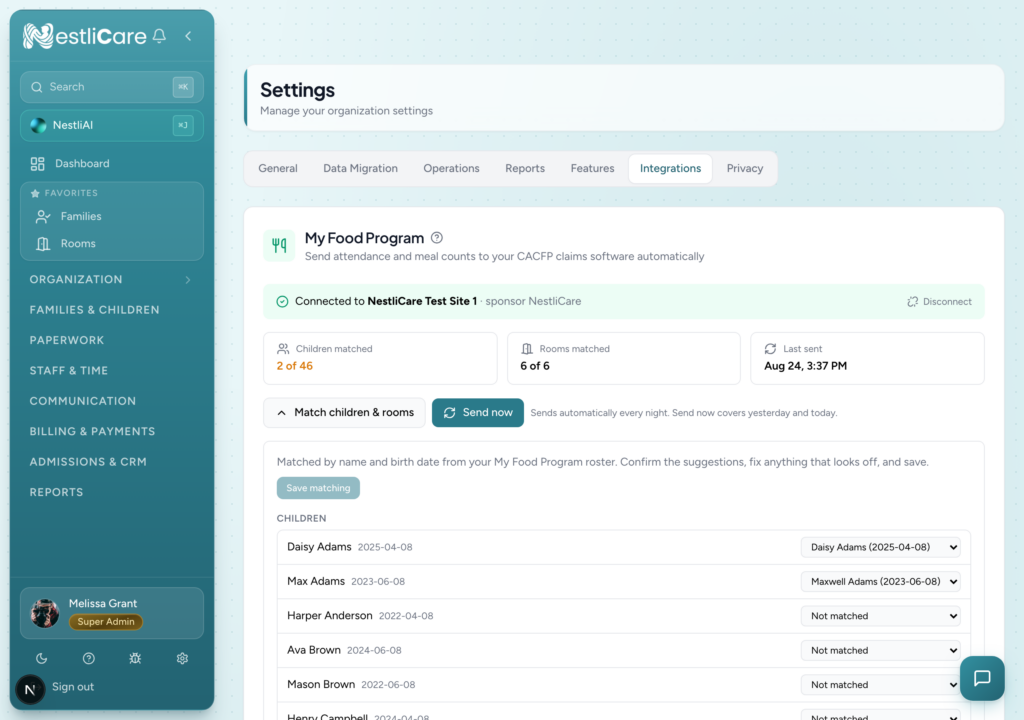
My Food Program keeps its own list of enrolled participants and rosters. NestliCare fetches them and matches them against your children automatically by name and birth date:
Match found: same name and birth date on both sides. Accept as-is.
Possible match: same birth date and a partly matching name, such as a nickname. Check it before accepting.
Not matched: pick the right participant from the list, or leave the child unmatched.
Select Accept suggestions to take every automatic match at once, adjust anything that looks off, then Save matching. Rooms match against My Food Program rosters the same way. There are no participant IDs to look up or type.
Only matched children are sent. A child not yet enrolled in My Food Program stays unmatched until your sponsor adds them there, and then they appear in the matching list.
Log Attendance and Meals As Usual
Continue recording attendance and meal counts in NestliCare as you normally do, on web, iPhone, iPad, or Android.
Records Send Themselves
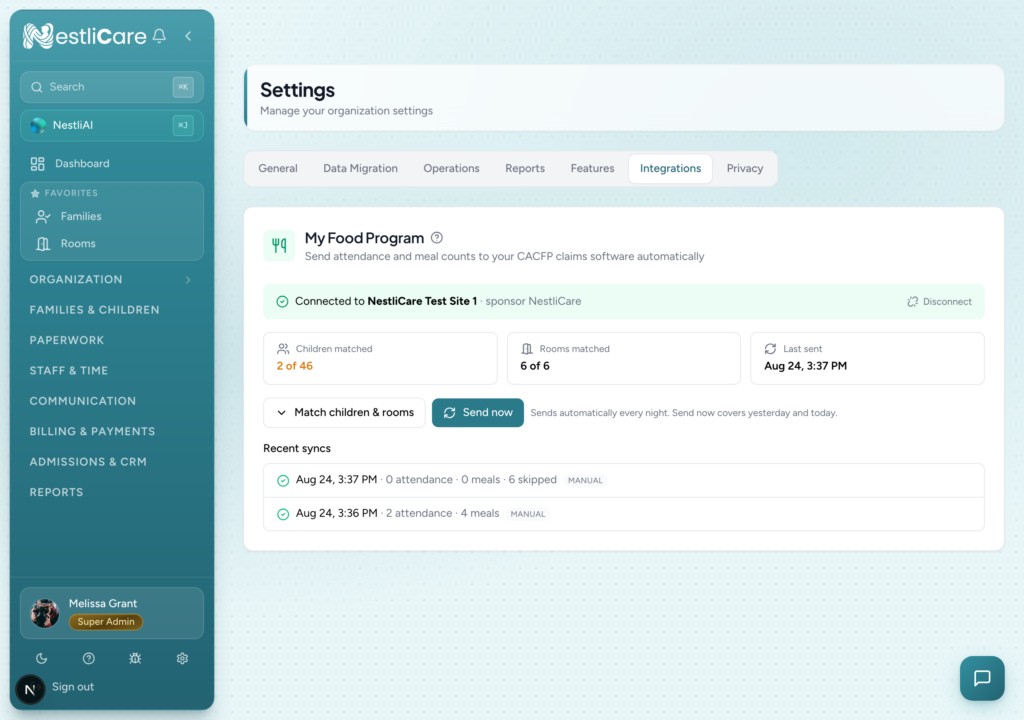
NestliCare sends the day’s attendance and meal counts to My Food Program automatically every night. You can also select Send now to push yesterday and today immediately, which is useful right after your first matching.
The connection card always shows your site, how many children and rooms are matched, when records were last sent, and a log of recent syncs. If any record could not be sent, the log says which one and why, in plain words.
Menus Come the Other Way
Menus planned in My Food Program appear in NestliCare automatically as published meal plans. The coming week imports every night, and any date range can be imported on demand. Days already planned in NestliCare are never changed, and staff can log the day’s meals with the foods pre-filled from the imported menu.
TIPS & NOTES
Records already sent are not sent again unless they change in NestliCare. A corrected check-out time is re-sent automatically.
A meal marked not claimable in NestliCare is not sent.
All claims are still filed through your food sponsor directly in My Food Program.