The integration between RoundUp ECE and My Food Program means you only have to enter data in one system, and it syncs with the other. See what data you should enter in each software.
My Food Program continues to be your comprehensive, and customizable software for managing the full CACFP. Click here for our full list of features, settings and reports.
HOW TO GET STARTED
Gather Account Details and Confirm Settings in My Food Program
Login to your My Food Program account and generate an API Key. This key will grant the same level of access as the user. Visit our Help Center article for step-by-step instructions.
The center has a site in My Food Program, with its state site ID and approved meals. Sites are created in My Food Program, not in RoundUp. Locate your siteId by following these instructions.
Please note that only Sponsors can enable the following functions, so if you participate under a CACFP Sponsor, you will need to contact them.
If you are going to import menus from RoundUp ECE into My Food Program, be sure that Allow menu import from outside software is checked in Site Details → Menu Settings.
Connect to RoundUp ECE
The director emails integrations@roundupece.comwith the center’s name and its My Food Program site. RoundUp connects the center to that site and, if the sponsor wants form statuses in RoundUp, provides a webhook URL for the sponsor to enter in My Food Program (Setup → Sponsor Setup → Webhook URL).
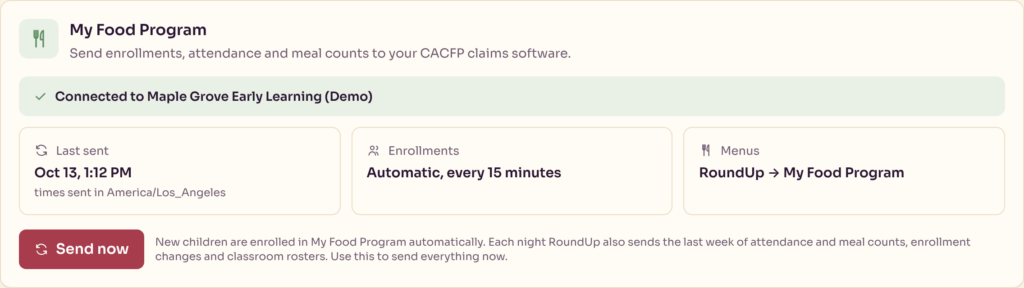
Enrollment starts on its own. Within about 15 minutes, every enrolled child and household is sent to My Food Program. Children already entered in My Food Program by hand are matched instead of duplicated.
First-Time Setup in RoundUp ECE
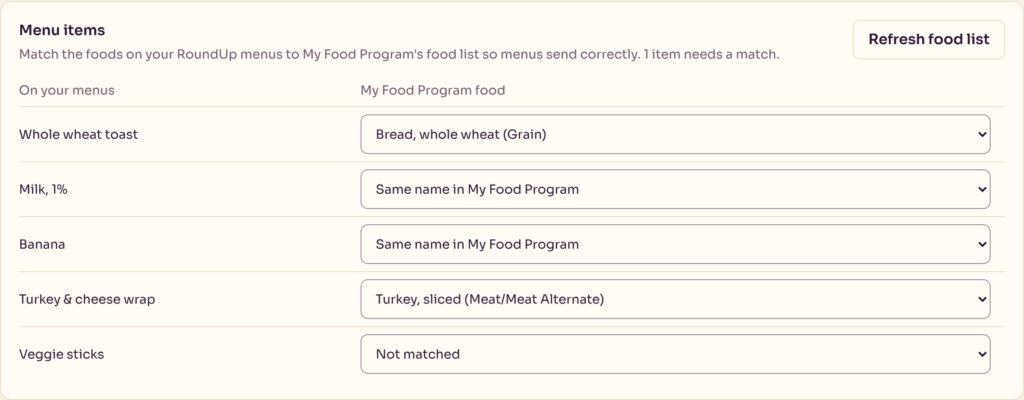
Menu items: select Refresh food list, then match each RoundUp menu item to a My Food Program food. Exact name matches are done automatically.
Menus: choose whether menus are sent from RoundUp to My Food Program, or pulled from My Food Program into RoundUp.
Optional: select Send now to send rosters, attendance, meal counts and enrollment changes immediately instead of waiting for the first nightly send.
Day to Day
Teachers record meals on the Meal Count screen in the RoundUp app, marking each child served.
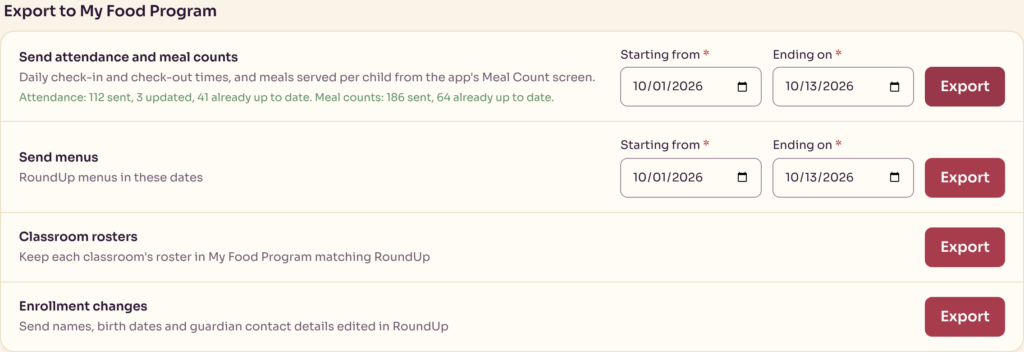
Nothing else to do: RoundUp sends the records every night. To send sooner, or resend older dates, the director uses Export to My Food Program → Send attendance and meal counts, picks a date range and selects Export. Re-sending the same dates is safe: RoundUp checks what My Food Program already has first.
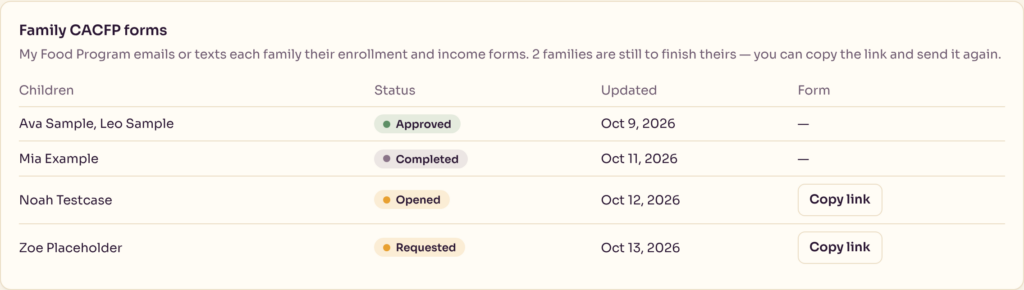
The Family CACFP forms card shows where each family’s form stands.
HOW IT WORKS
When It’sSent Enrollments go to My Food Program automatically every 15 minutes. Every night, RoundUp also sends the last 7 days of attendance and meal counts, enrollment changes, classroom rosters and the next 14 days of menus. Directors can send any of it immediately from RoundUp’s Food program page.
Corrections If a child’s attendance is changed to absent, or a meal is changed to not served, RoundUp removes that record from My Food Program. Records entered directly in My Food Program are never deleted by RoundUp.
CACFP Form Status When the sponsor adds RoundUp’s webhook URL in My Food Program (step 2 above), RoundUp shows each family’s CACFP form status (requested, opened, completed, approved, rejected) on the director’s Food program page, and emails families their form link in the center’s own branding.