As summer comes to an end, it’s time to get ready to begin claiming CACFP for the new school year.
SCHOOL AGE LICENSED CAPACITY
If the state agency that determines licensed capacity in your state defines a school ager as “a child enrolled in school” rather than by a specific age, make sure that all children that will be enrolling in school for the first time have the box checked for Include in School Age Licensed Capacity. if this box is not checked, the software will assume the child is not enrolled in school and will count them in the preschool capacity.
ALTERNATE SCHEDULES OR
MEALS OUTSIDE OF SCHEDULE
Some states require that meals not listed on a child’s enrollment form are disallowed unless a reason is provided. Users have two options for managing this:
Option 1: Set up Alternate Schedules for School Release Dates
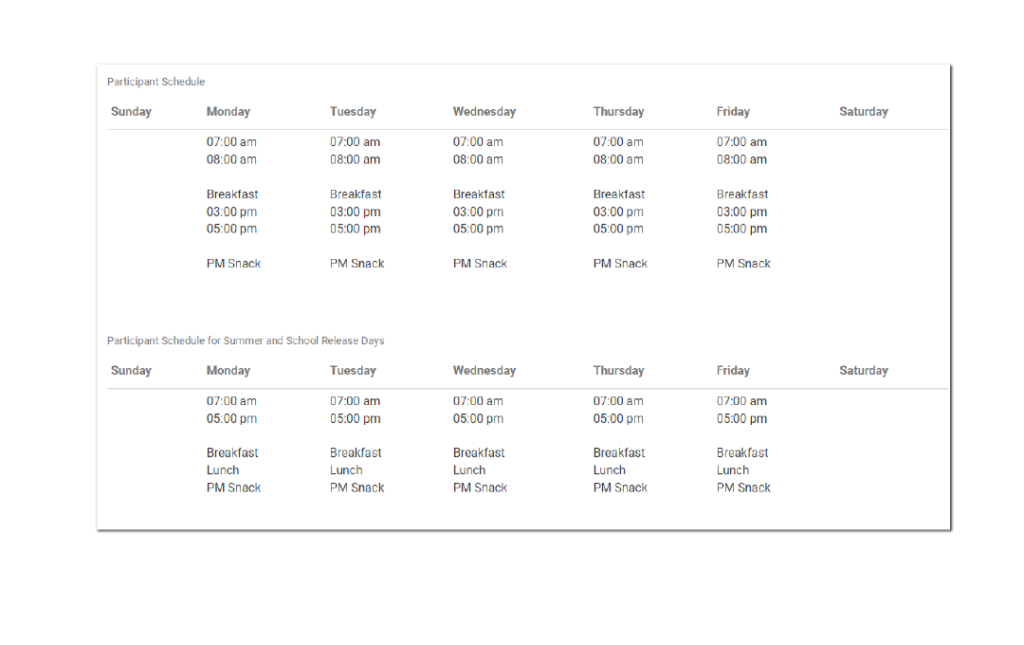
The first option is to set up two schedules for school agers. One is their typical schedule for school days. The alternate schedule is for school release days. Below is what a typical and alternate schedule might look like for a school ager. Once alternate schedules are set for school agers, then providers or centers just need to mark the days where there is no school. The system will use the alternate schedule if one exists, otherwise will use the typical schedule.
Option 2: Mark Meal Outside of Schedule
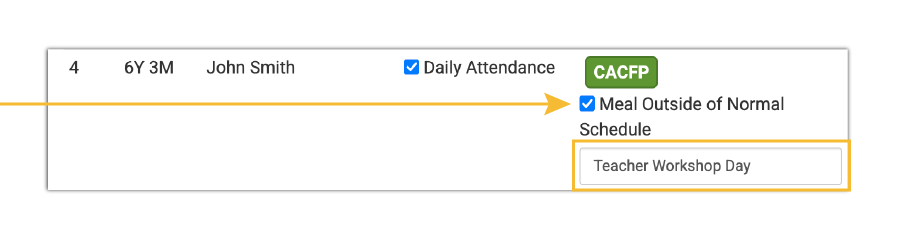
The second option is to mark Meals Outside of Normal Schedule for each meal that the child is attending that is not on their enrollment form and provide a reason:
TURNING ON AT-RISK AFTERSCHOOL MEALS (ARAM) FOR THE SCHOOL YEAR
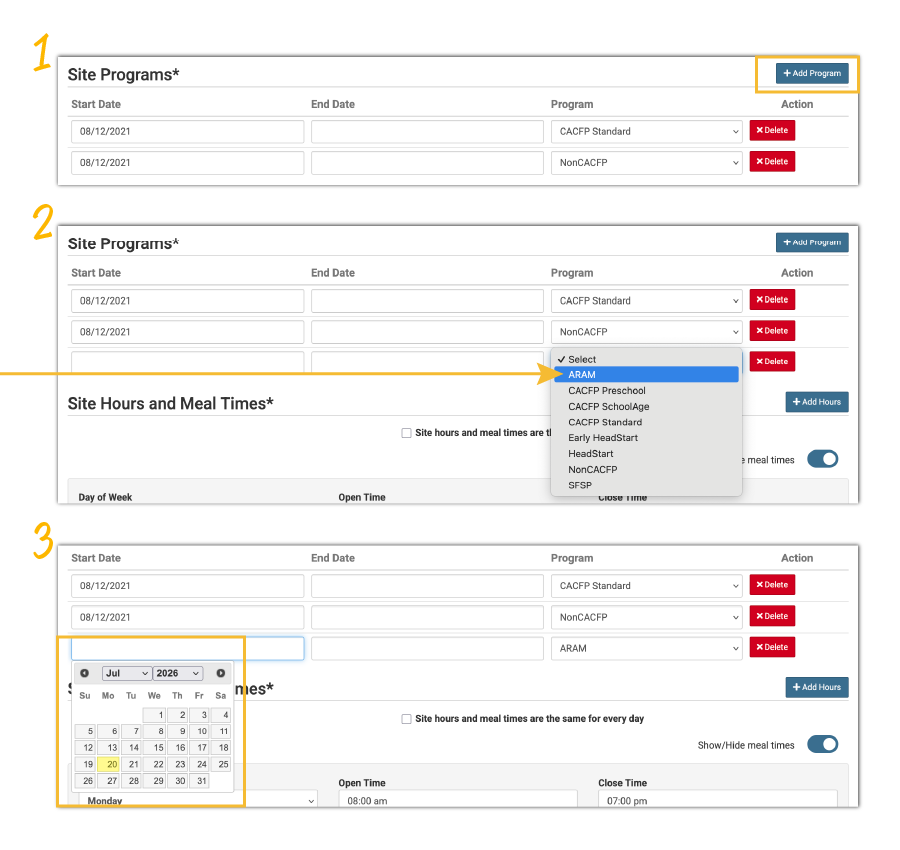
For each site that operates the At-Risk Afterschool Meals Program, click on Site Details on the main dashboard and scroll down to the section titled Site Programs.
Click the blue Add Program button.
Select ARAM from the dropdown list.
Enter the first day of school in the Start Date field.
Be sure to scroll to the bottom of the page and click the green Save button.
You will also want to ensure that all ARAM-eligible children are set to be included in your ARAM claim.
For afterschool programs that only have the ARAM program type, adding the first day of school as the Start Date for ARAM in Site Details means that these sites will be able to take meal counts starting on the first day of school.
For child care centers that operate both the traditional CACFP and ARAM, adding the first day of school as the Start Date for ARAM in Site Details means that the children can be marked for ARAM meal counts starting the first day of school. If those children are eligible to be claimed under ARAM, their meal count button will automatically change to ARAM.
If you need help with transitioning your sites as the summer comes to a close, please contact us. We’re always happy to help!