We’re excited to introduce Single Sign-On (SSO) for logging into the My Food Program software.
SSO allows users to securely sign in using an existing account provider including Google, Microsoft and Facebook. This helps simplify the login process and reduce the need to remember multiple passwords. This new feature makes accessing the software faster, easier and more secure.
This feature will be available on the login screen beginning Saturday, May 30th.Please note that this feature will only work if your User Name is your email address.
HOW TO LOG IN USING SINGLE SIGN-ON (SSO)
Visit Website
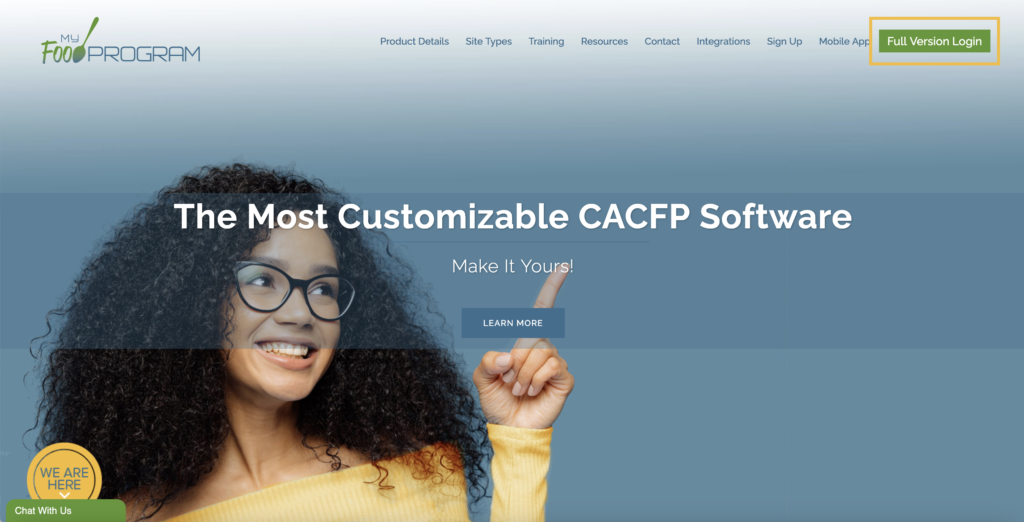
On a web browser or mobile browser (for example, Google Chrome, Firefox, Edge or Safari) go to www.myfoodprogram.com
Click on the Full Version Login button in the upper-right corner.
Choose Your Account Provider
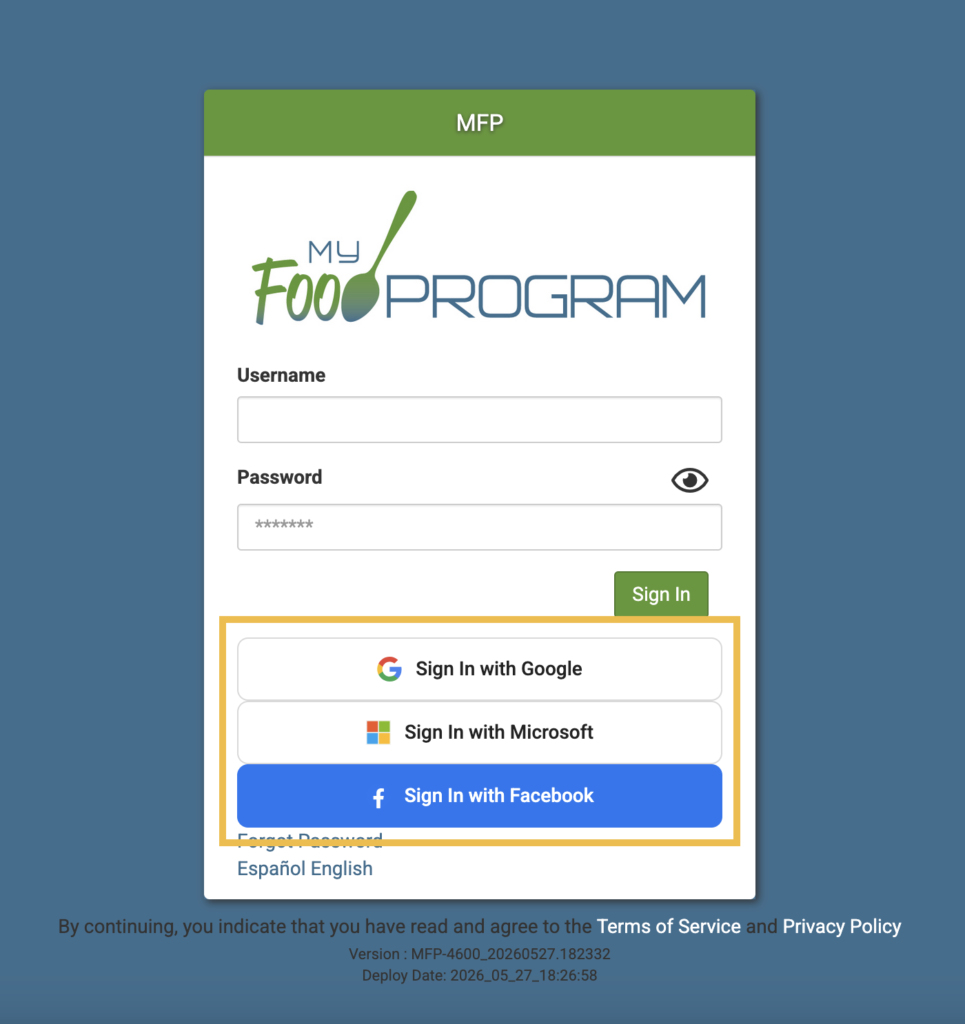
On the login screen, click one of the following buttons:
Sign in with Google
Sign in with Microsoft
Sign in with Facebook
*Please note that you must already have a My Food Program account to link. You cannot create an account using SSO.
Next, choose the account you would like to login with.
Verify your account.
If Your User Name is NOT Your Email Address
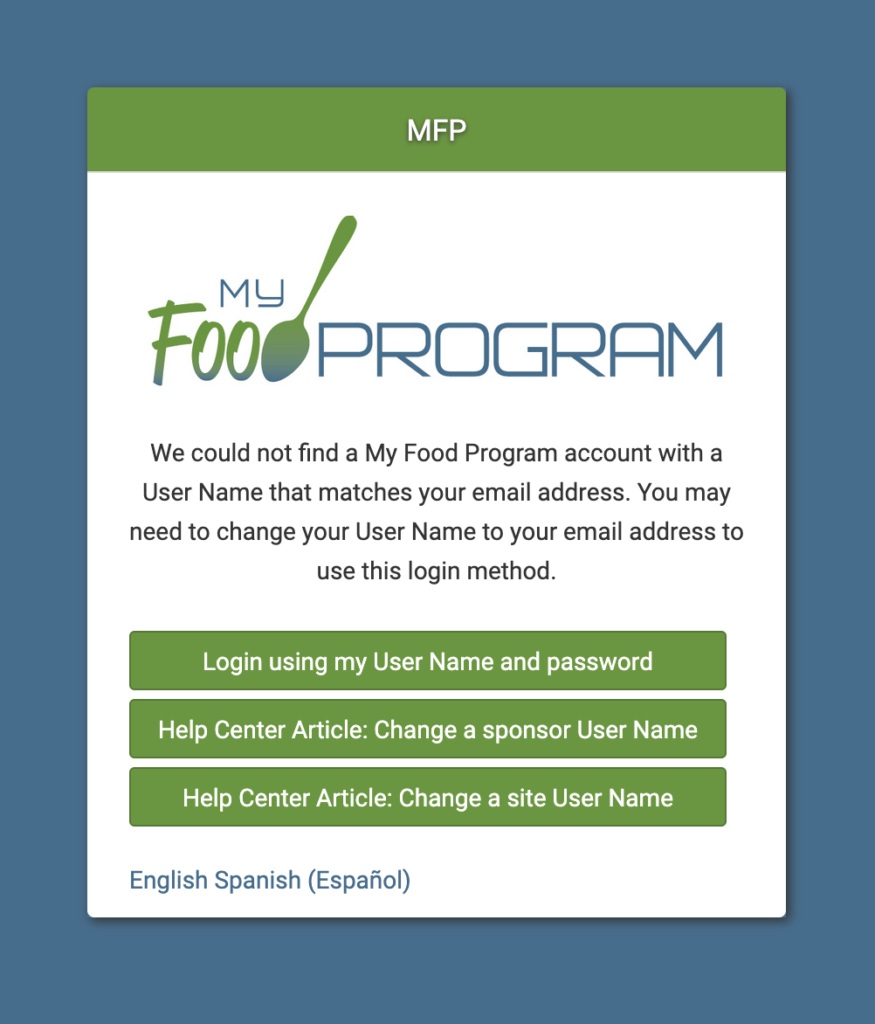
If your User Name is not your email address, or there is no matching User Name/email address in My Food Program, you will see the following screen.
You can either choose to login using your My Food Program User Name and Password or visit one of the Help Center articles to learn how to change your User Name to your email address.
Once you change your User Name, then you can go back to the login screen and choose that SSO option again.
If Your User Name is Your Email Address
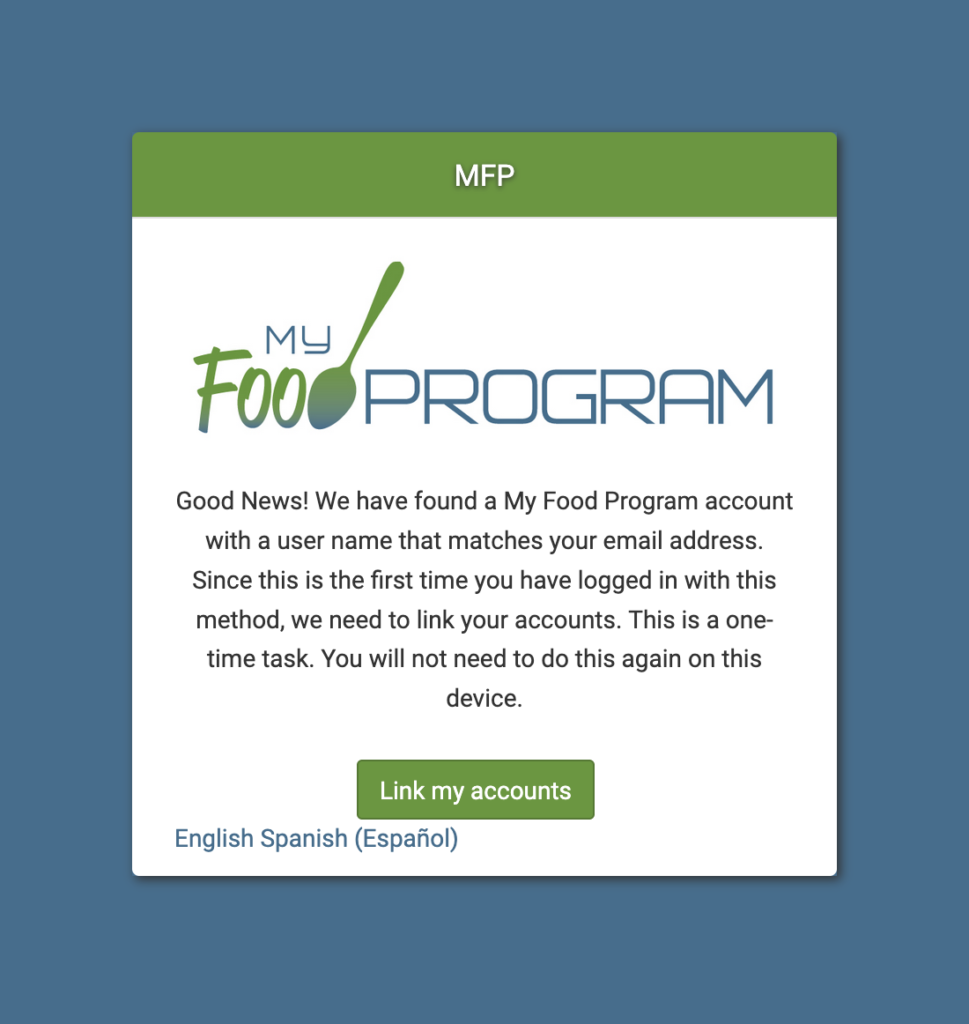
If there is a matching User Name/email address, then you will have to link your account. This is a one-time task and you will not need to do this again on this device.
Click the Link my accounts button.
You have now linked your account and you will be taken to your main dashboard.
HOW TO CHANGE YOUR USER NAME
If your User Name is not your email address, you will need to update that in the software prior to using the SSO feature. Visit our Help Center Articles below for simple instructions.